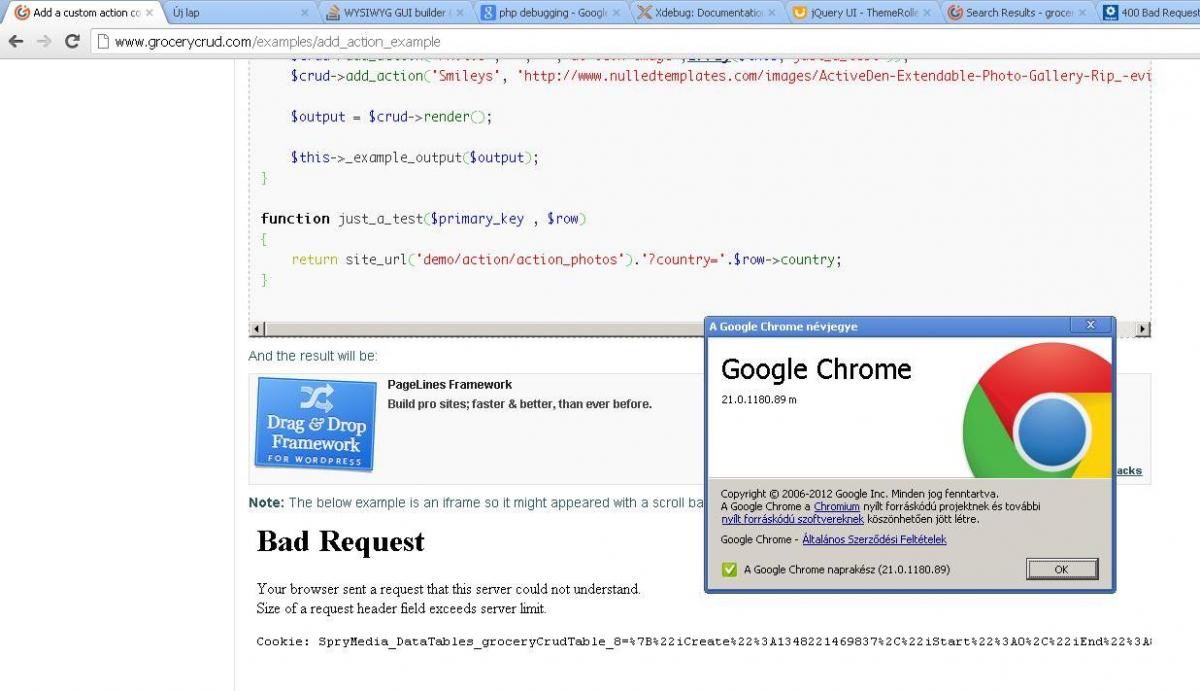
I ran into this problem as well. It occurs because the DataTables cookie exceeds the 4kB limit.
DataTables keeps the settings of each table in storage with either cookies or local storage.
This becomes a problem because it works by default by looking at the current URL for the cookie name.
Because GroceryCrud uses urls like sometable/success/3, sometable/success/2, the amount of data becomes too big (over 4kB) at some point.
Some solutions:
1. Disable state saving altogether:
http://datatables.net/usage/features#bStateSave
2. Use Datatables' localStorage, which has no limit on the amount of data
http://datatables.net/blog/localStorage_for_state_saving
3. Check if the url includes /success/(number) and don't save data for that url
OR: figure out what the original url is and use that
This is how I did myself: (datatables.js)
// http://mathiasbynens.be/notes/localstorage-pattern

function localstorage_supported()

{

   var storage,

         fail,

         uid,

         supported;

   try {

     uid = new Date;

     (storage = window.localStorage).setItem(uid, uid);

     fail = storage.getItem(uid) != uid;

     storage.removeItem(uid);

     fail && (storage = false);

   } catch(e) {}

   supported = false;

   if(storage) supported = true;

   return supported;

}

$(document).ready(function() {

    var use_storage = localstorage_supported();

    var pathname = window.location.pathname;

    if(if(pathname.indexOf("/success/") != -1) use_storage = false;

}

// ...

oTable = $('#groceryCrudTable').dataTable({

    // ...

    // specify if using state saving

    "bStateSave": use_storage,

    // using local storage for state saving

    "fnStateSave": function (oSettings, oData) {

        localStorage.setItem( 'DataTables_'+window.location.pathname, JSON.stringify(oData) );

    },

    "fnStateLoad": function (oSettings) {

        return JSON.parse( localStorage.getItem('DataTables_'+window.location.pathname) );

    },

    // ...

});